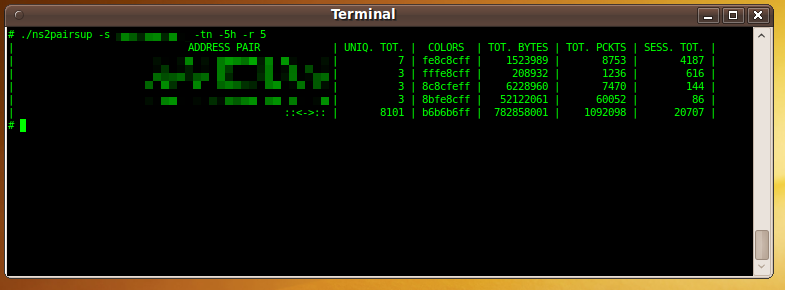
All data retrieval commands require a timeframe specification.
You can set an absolute timeframe by specifying start and end times with -te and -tl. Specify both a starting and ending time in the following format: "MM/DD/YY hh:mm:ss.microsec".
Alternatively, you can specify a timeframe relative to now by using the -tn option, For example, -tn -1h specifies the last hour, -tn -1d12h specifies the day and a half, and -tn -5m specifies the last five minutes.
Valid time specifiers for the -tn option are as follows:
-
s Seconds
-
m Minutes
-
h Hours
-
d Days
-
w Weeks
-
M Months
-
Y Years
![[Important]](../common/images/admon/important.png) | Important |
|---|---|
Time specifiers must be given in order of magnitude. This means that |
![[Tip]](../common/images/admon/tip.png) | Example |
|---|---|
To retrieve the top 5 IP pairs ranked by the largest number of unique port/protocols (applications) used between them in the last 5 hours, use the following command line: # ./ns2pairsup -s flowtraq.example.com -tn -5h -r 5 Although hosts 192.168.17.158 and 192.168.17.1 had 4187 total sessions between them, communicating a total of 8,753 packets and over 1.5 megabytes, only 7 different applications were used. The |